Brim's December 2025 Release: Token Usage Tracking and Conditional Generation

December 15, 2025
One of the challenges in AI adoption is understanding how much it will cost. Large Language Models typically price using a unit called a token, which is something between a letter and a word. It's hard to know up front exactly how many tokens a prompt and its response will use. To make this more difficult, Large Language Model providers often have a variety of prices for different types of prompts and responses, reflecting the capacity and speed of the model, whether your query is unique or cached, and other factors.
At Brim, we want to make it easier to estimate, understand, and manage your compute cost. So with the December 2025 update, we're taking a big step forward, giving teams deeper control over when variables are generated and clearer insight into compute costs by project, variable, and model.
🎯 Conditional Generation: Smarter, Leaner Workflows
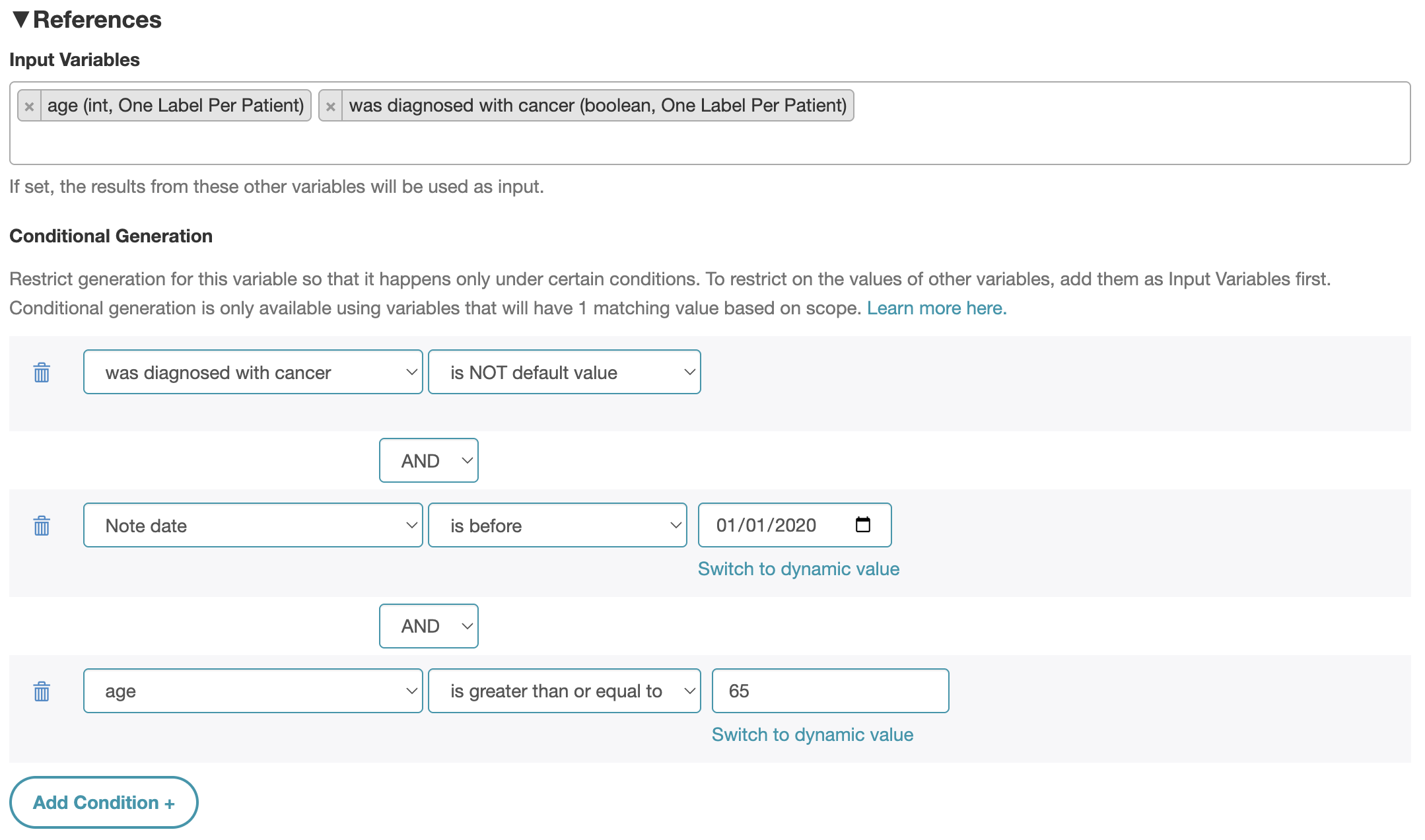
One of the most powerful new features is Conditional Generation. Now, instead of generating every variable for every document, you can define when a variable label should be created.
For example, suppose you only care about metastasis-related variables for patients flagged as having cancer. With Conditional Generation, you can set metastasis to generate only when has_cancer = true. This keeps your abstraction workflows clean, avoids unnecessary compute, and ensures that only relevant data gets processed.
This change is exposed directly in the “Edit Variable” screen under References → Conditional Generation.
📊 Token Usage Dashboard: Understand & Optimize Costs
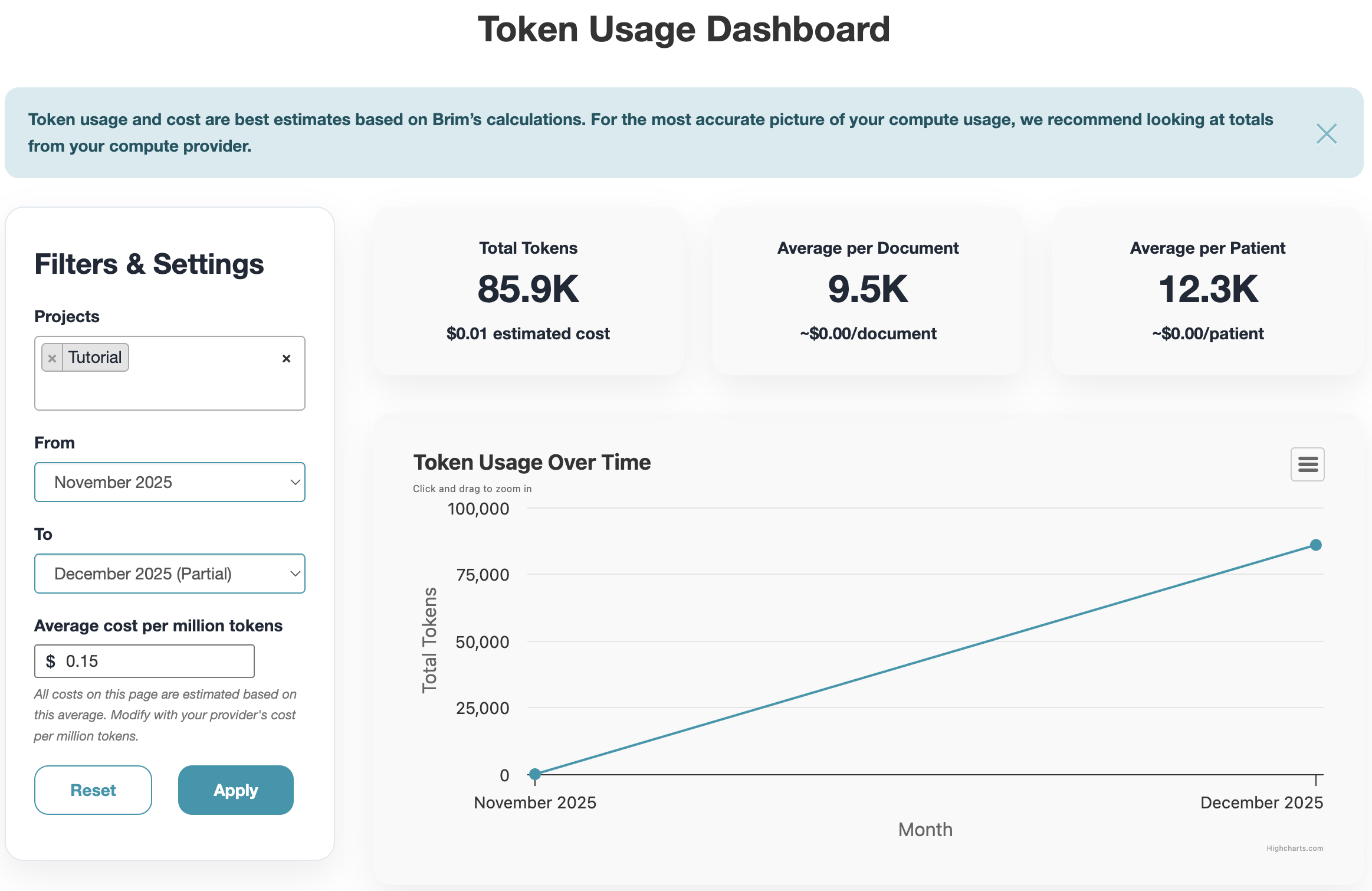
Another big addition: the Token Usage Dashboard, now available under Settings. This gives you transparency into token consumption and model usage across projects.
With this dashboard you can:
- Track usage trends on a monthly basis.
- Identify which projects and variables are driving compute cost.
- Compare usage by model, helping you choose the most cost-efficient configuration.
This means teams can better anticipate spend, budget for abstraction efforts, and make data-driven decisions about when and how to generate variables.
Getting Started
We make small bug fixes and enhancements with every release. You can find a more complete list in our December 2025 Release Notes.
If you’re already using Brim: head to Settings → About and check that your version date is 2025.12.10. If it's a different date, you can reach out to the listed System Administrator to get an update started. Once you're up to date, click Settings > Token Usage to explore the new Token Usage Dashboard, and scroll to the bottom of the Edit Variable Screen to start streamlining using Conditional Generation.
If you’re new to Brim: reach out! We specialize in making accurate, large-scale AI-driven chart abstraction accessible to all of the researchers and clinicians who need it, regardless of whether they've used AI before.