Brim June 2026 Release: Import from Epic, Generate More Precisely, Fix Uploads Faster

July 6, 2026
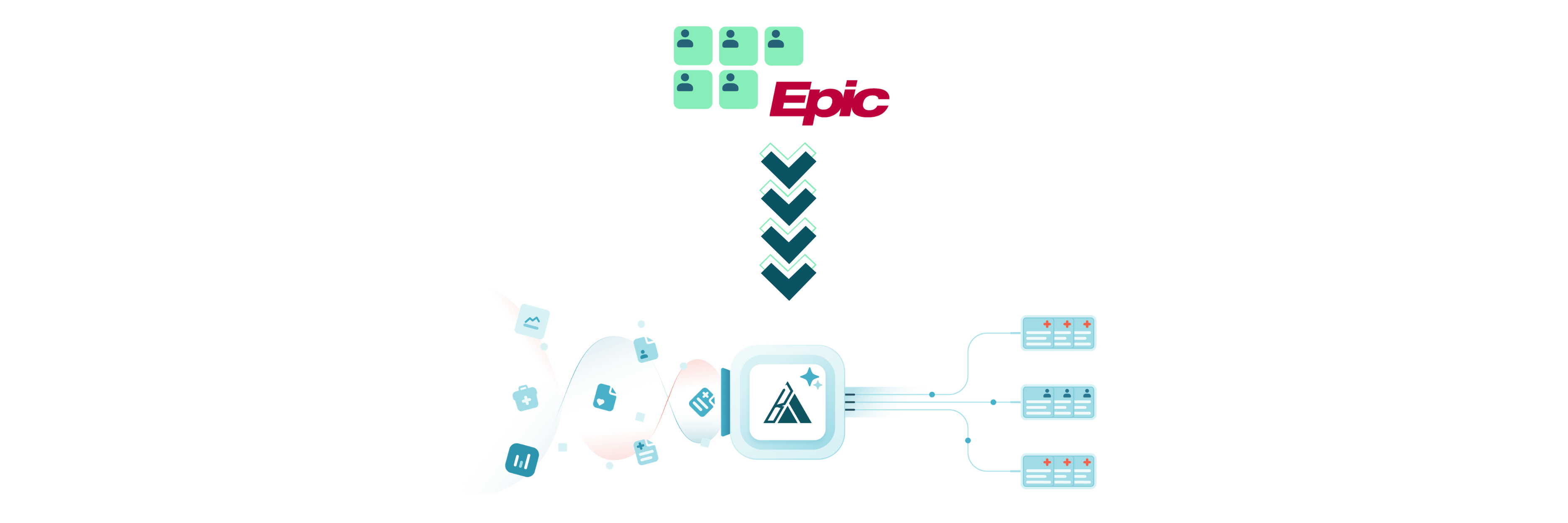
This month is all about getting your data into Brim faster and running generations with higher precision. You can now pull patient documents directly from Epic with no manual export. We’ve rebuilt upload error handling so problems are easier to spot and fix. And new Conditional Generation controls let you scope a run by variable and by value, so you only generate exactly what you need.
Import Patient Documents Directly from Epic (SMART on FHIR)
You can now pull a patient's documents straight from Epic, with no manual file export required.
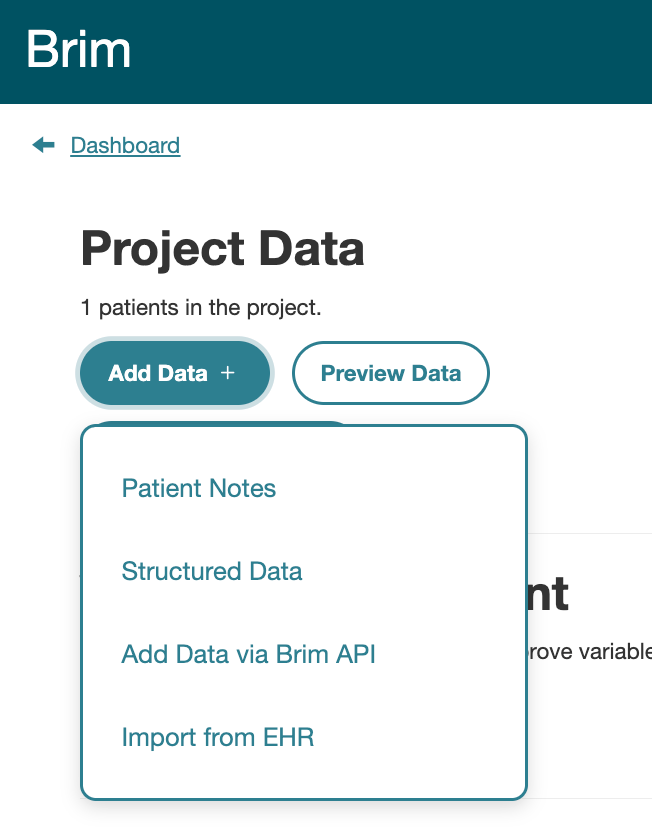
When you go to upload notes, click “Import from EHR,” sign into Epic, and search for the patient you want. Set a time range, click Import, and Brim handles the rest. You'll see a progress bar as documents load, after which Brim automatically generates labels and takes you to the patient's label page.
Behind the scenes, Brim pulls clinical notes and converts each attachment to text. Unsupported file types are skipped, the imported documents flow through the same pipeline as CSV uploads. When you import patient documents from Epic, this will automate label generation to occur.
Note: This feature is off by default. If you'd like it enabled for your account, contact support@brimanalytics.com to get it configured.
Learn more in our documentation.
Conditional Generation: Filter Runs by Variable and by Value
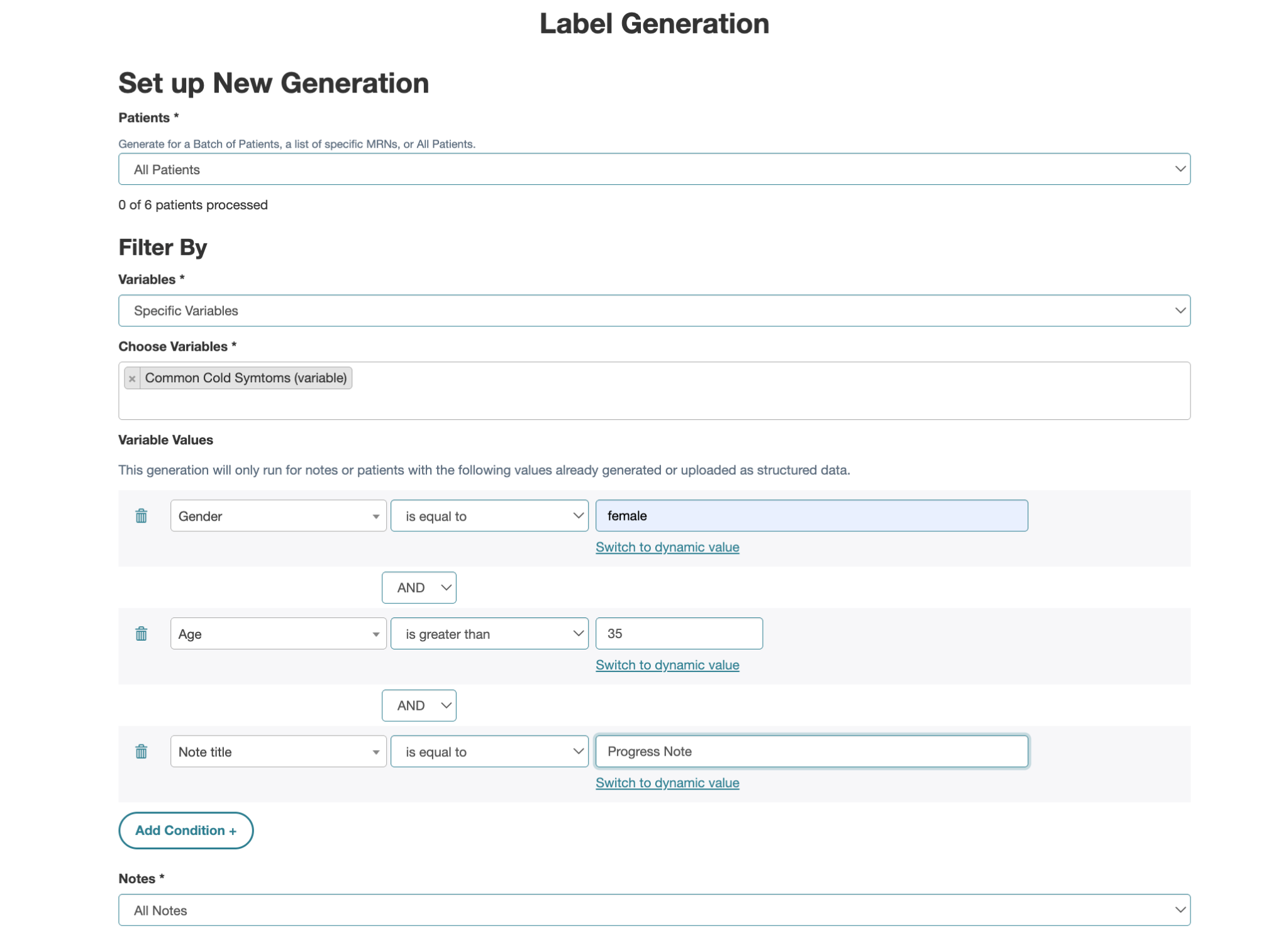
The label generation flow now includes a Filter By section that gives you finer control over what a run covers.
Variable selection has moved up from Advanced Settings into Filter By and is now a dropdown. The default, All Variables, behaves as before. Choosing Specific Variables shows a picker titled Choose Variables, where you select the variables to run.
A new Variable Values filter lets you run a generation only when certain conditions are already met. By default it shows “Add Condition” with nothing applied.
Adding a condition opens the conditional generation interface, where the first field lets you pick from a multitude of options.The generation runs only for notes or patients that already have those values, whether generated earlier or uploaded as structured data.
Learn more in our documentation.
Improved Upload Error Handling
Uploads are now easier to monitor, diagnose, and fix.
Failed uploads show a clearer error in Upload History. The error messages are specific and actionable (e.g. “Missing NOTE_ID field…”). One bad row will not cause a file to fail to upload. Instead Brim will reject the row and upload the good lines in the file.
For files with rejected rows, you can download just the rejected lines with a column explaining why each was rejected, then fix and re-upload.
Brim Improvements In This Release: Powered by Your Remarks
There's nothing we love more at Brim than working with researchers and abstractors on what would make their work smoother and easier. This month we're delivering several improvements based on your requests, including:
- Filter projects by name: the project dropdown now includes a text field, so you can type to quickly find the project you're looking for.
- Result links in detailed export: the one-per-patient detailed export now includes a “Link to Result” column that takes you straight to each specific result.
- Download a PDF of results: you can now download a PDF of patient results directly from label review.
- Persistent patient label table settings: your filters, search, sort order (including Sort by Instrument), default labels view, and rows-per-page setting now carry over when you switch patients, so your view stays exactly how you set it up.
- Bulk actions on variables: select multiple variables at once to change scope, export, or delete them in a single action.
- Filter by one-per-note variables: variable value filters on Label Generation, Label Review By Patient, and Variable Labels now support one-per-note variables in addition to one-per-patient variables.
Keep them coming! If you have a request, please reach out to support@brimanalytics.com or reply to one of these emails. We'd love to learn more.
How to Get the June Release
This release is available as:
Version 2026.06.30
You can check your current version in Settings → About.
As always, thank you for building with Brim.
We're excited to keep making abstraction faster, clearer, and more trustworthy, and grateful to support the important work your teams are doing every day.